



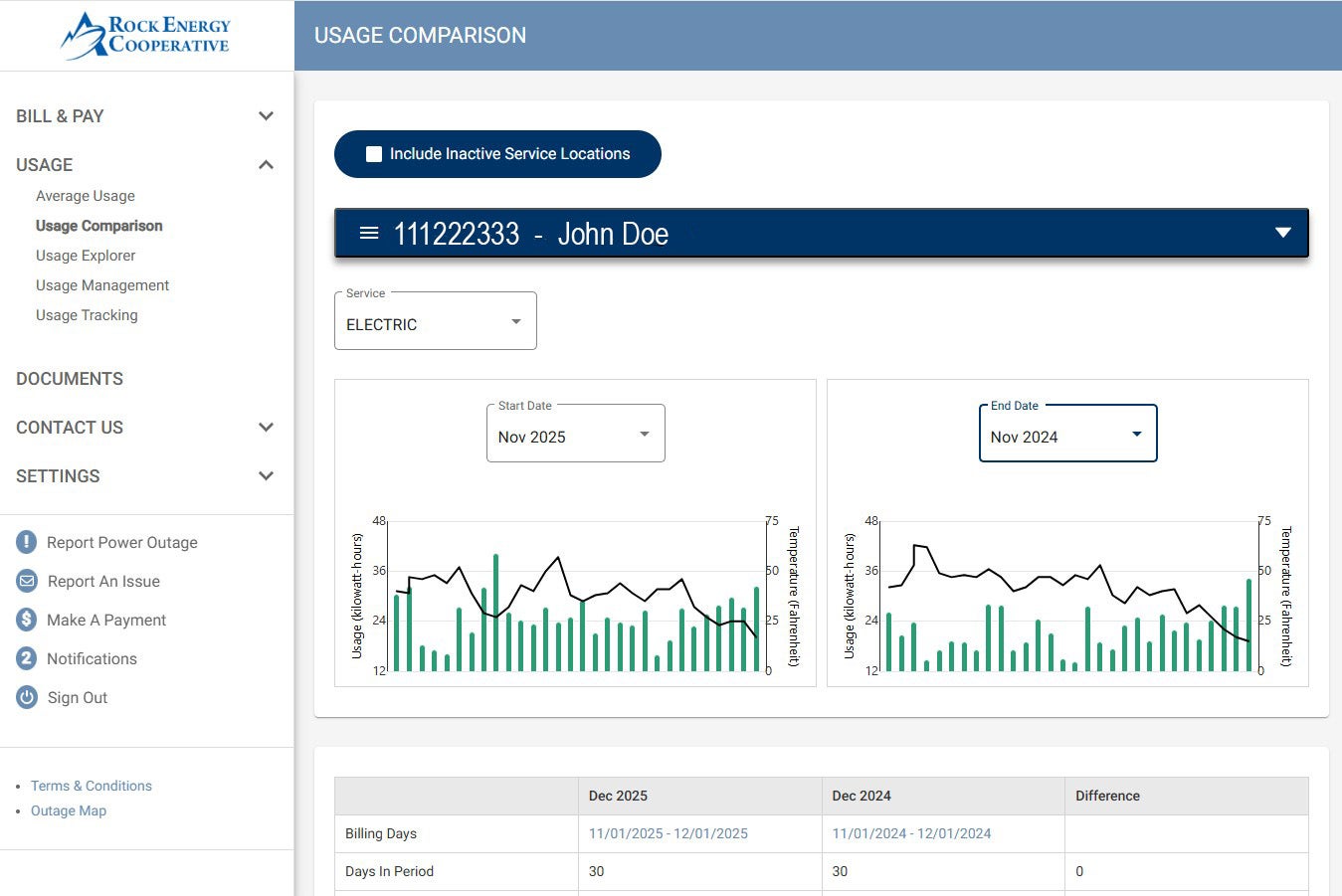
Did you know that a record of your energy use is available with a few computer clicks? Many members want end-of-year reports (see example below) on the their usage and payments. Instead of the time-consuming process of calling the office to request the information and then waiting for our employees to mail it to you, you can access your account on-line and get what you need. See below how to access your online reports. To access your usage reports, go to the USAGE dropdown on the left side of the page and click on any of the links there based on what you are looking for. See example below.
SmartHub Report Example:
For more information about the "Usage Explorer Tool" click on the link below.
USAGE EXLORER TOOL
If you aren’t familiar with SmartHub, here’s how to get started:
• Go to www.rock.coop. Click on the red SmartHub button at the top of the page. Select “New User?” in the SmartHub login area. Enter your account number, account holder’s last name, and email address.
• Click the “Submit” button, and the registration screen will expand.
• Enter the required security information and click “Submit.”
• A registration complete alert will appear, and SmartHub will send a temporary password to the email address you entered.
• Check your email to get your temporary password, click “Login,” and enter your email address and temporary password. Then create a new password.
When using SmartHub, you will continue to receive a paper statement each month, unless you enroll in our paperless billing program.
If you need assistance getting started, just call our office at 866-752-4550 during regular business hours.